
Use built-in report fields
Customer, site, asset, technician, time, parts, notes, photos and cost totals are part of the standard report flow.
Customer and assetActual timeParts used
Service documentation
Define report fields and layouts so technicians capture the right information for each service workflow, asset type or customer requirement.
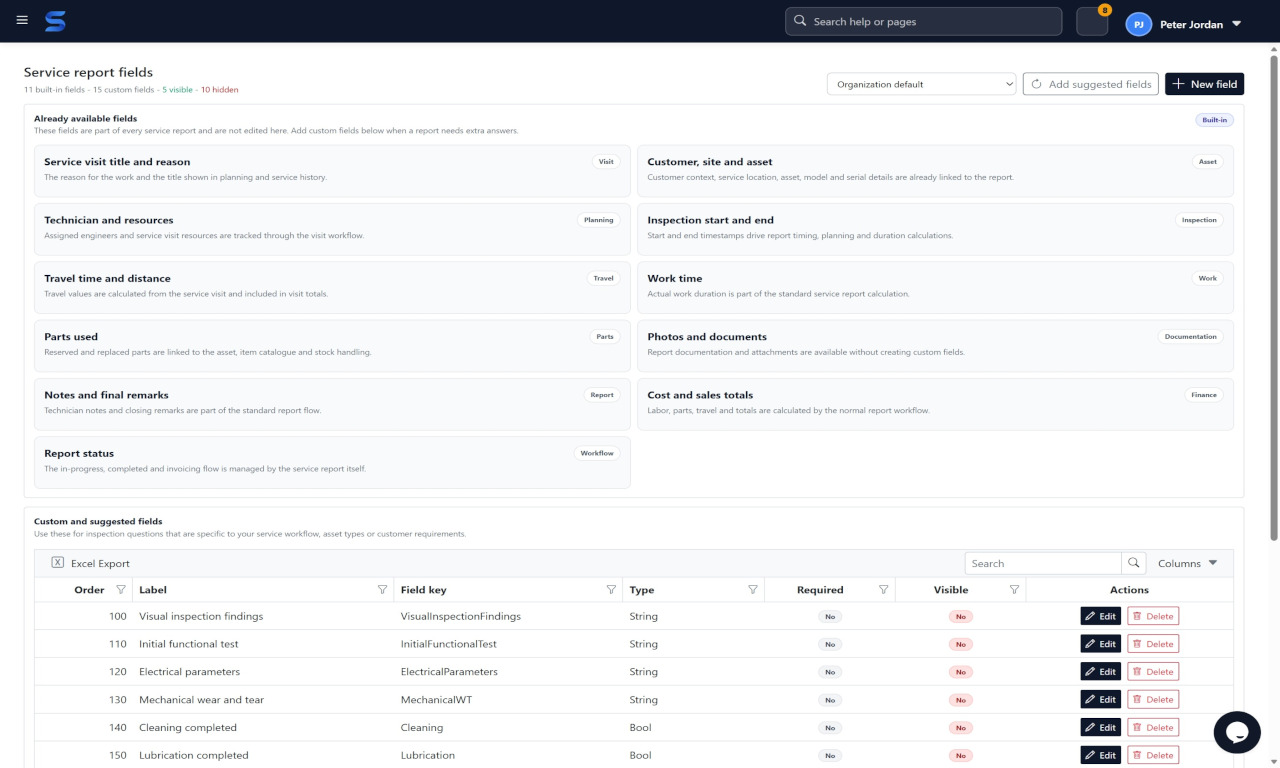
Sepolo supports configurable service report fields so each team can collect the information that matters without forcing every technician into the same form.
Field Service Plattform
Customer, site, asset, technician, time, parts, notes, photos and cost totals are part of the standard report flow.
Create fields for inspection results, tests, electrical parameters, cleaning, lubrication or customer-specific checks.
What you get
Different groups and asset types can use the fields that fit their service work.
Structured documentation improves customer communication, finance review, history and future troubleshooting.
Next step
We start from your service flow, assets, technicians, ERP and the places where time is lost today.
Start with Sepolo